Video Save
Control Options
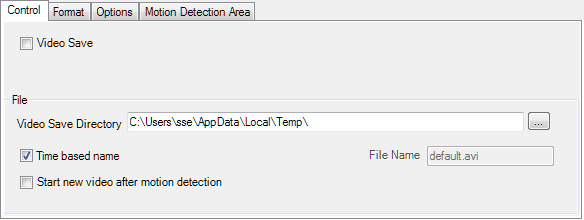
- use the Video Save checkbox to start/stop recording
- select the location for the video
- eigther use Time based name or enter a file name
- for Motion Detection Video you may choose to Start a new video when Time Based name is checked
Recording Format
WMV
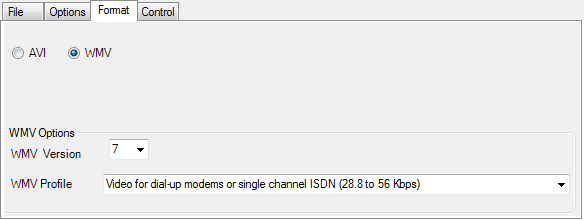
- for versions 4,7, and 8 select a video profile
- for version 9, select a video profile file
AVI
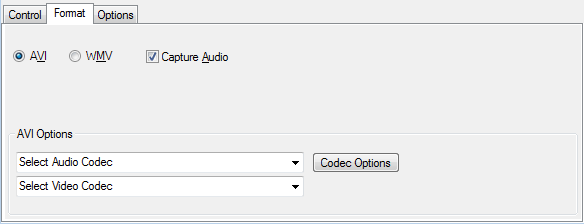
With the VideoCapX interface recording real time, you may choose to record audio as well. For other capture interfaces the audio option is not available.
Many of the Codecs that appear in the listbox were placed on your system by third-party software for very specific purposes. These codecs are probably not suitable to use for AbelCam Video Save.
There are codecs on some (most?) systems that seem to be designed for Telecine conversion operations. These codecs should be avoided! When used with AbelCam they do produce a video file but the codec plays around with the embedded timestamps and even drops frames. This is design behaviour on the codec's part: correct for telecine work, not good for AbelCam needs.
The codecs to avoid have "Cine" in their names. On a clean XP install there is only "Cinepak by Radius". If you've installed 3ed party video editing programs there will be other "Cine*" codecs as well.
For best results, keep your codec selection "simple": choose a codec that came with Windows. Microsoft Video 1 codec will always work but the quality is not so good. If available, try a DivX codec or one of the Intel Indeo family. Indeo 5.11 is one that works quite nicely; other Intel Indeo versions are good too.
Recording Options
all recording options record until
- time limit is reached or
- size limit is reached (available with the VideoCapX interface) or
- Video Save checkbox is unchecked
Real Time
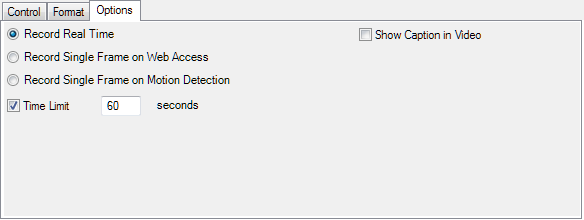
records as captured by the capture interface
Web Access
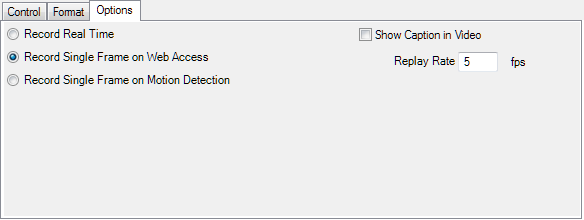
Records every image requested by the web server - see what your viewers were looking at
Motion Detection
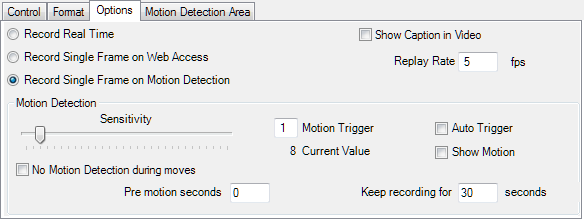
Records detected motion. The Motion Trigger determines the sensitivity of the motion detection.
Auto Trigger will capture images with much more motion than average
If you want to keep recording after the motion event, set the Keep recording value > 0
Control
Start/Stop the recording here.
If you save the camera settings with recording active, the video recording will be started next time you load the capture interface.

